Physical Address
304 North Cardinal St.
Dorchester Center, MA 02124
Physical Address
304 North Cardinal St.
Dorchester Center, MA 02124
I still remember the exact moment I realized I had a problem. It was 11 PM on a Tuesday, and I was cleaning a 50,000-row dataset in Excel.
I tried to drag a formula down a column, but my hand just gave up. It wasn’t a sharp pain—it was a dull, burning numbness radiating from my wrist up to my elbow. My fingers felt weak, like I couldn’t trust them to click the right cell anymore.
If you are a Data Analyst, you know exactly what I’m talking about. We don’t just “type”; we click, drag, scroll, and pivot for 8 to 10 hours a day. Our right hand is basically running a marathon while our left hand just sips coffee.
I spent over $200 of my own money testing ergonomic gear to fix this, because I couldn’t afford to stop working. Here is the hard truth: Your standard office mouse is destroying your wrist.
But to fix it, do you need the “handshake” grip of a Vertical Mouse or the “stationary tank” control of a Trackball?
I’ve used both extensively to manage my RSI (Repetitive Strain Injury) while building dashboards in Tableau and writing SQL queries. Here is my honest, no-fluff comparison.
TL;DR:
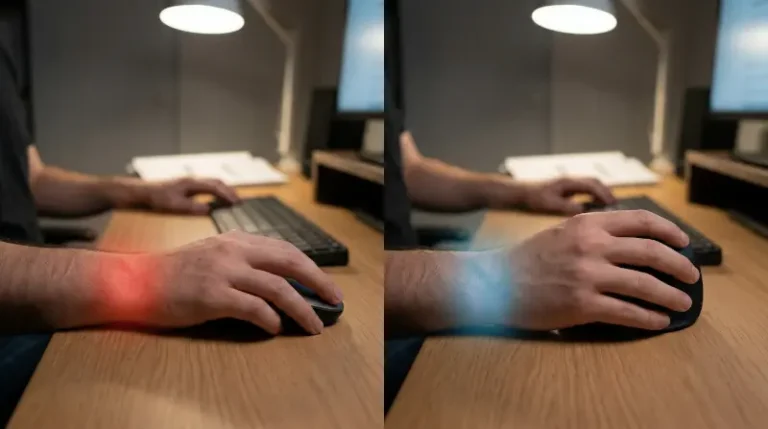
Why does your arm hurt? Put your hand flat on your desk, as if you are holding a regular mouse. Now, look at your forearm. The two bones are twisted over each other. This is called Pronation.
Maintaining this position while doing precise movements (like selecting a specific range of cells) puts incredible pressure on your median nerve (hello, Carpal Tunnel).
Data Analysts are at higher risk than almost anyone else because we hold this “tense” position for hours while staring at spreadsheets.
Imagine reaching out to shake a client’s hand. That’s exactly how you hold a vertical mouse. Your thumb rests in a groove, and you click sideways.
The first time I switched to a vertical mouse (the Logitech Lift) for a PowerBI project, the relief was almost instant. It felt like my forearm finally exhaled.
Why I love it:
The “Gotchas”:
The Logitech Lift is currently the sweet spot for most analysts.
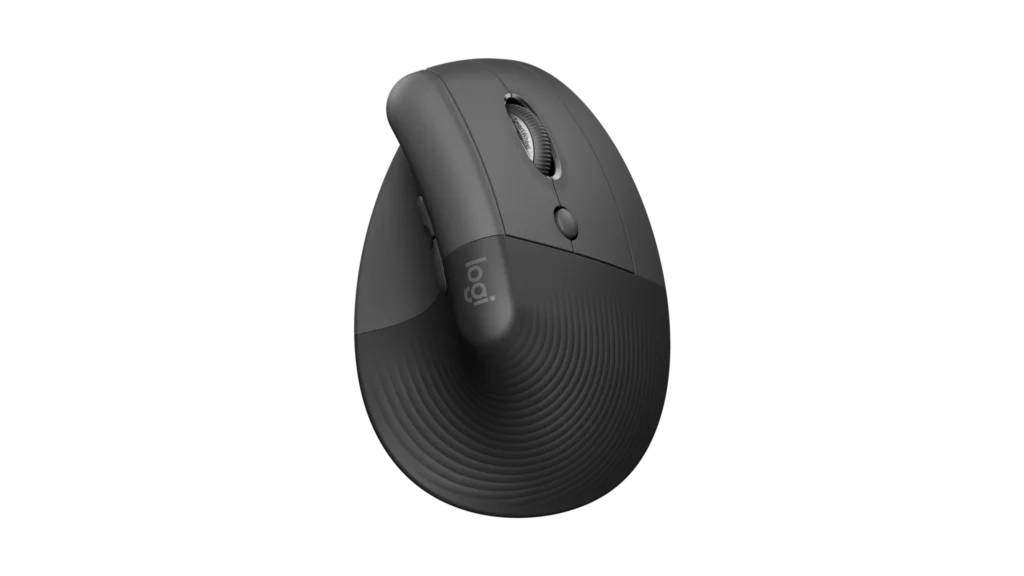
🏆 BEST FOR WRIST PAIN
The gold standard for vertical ergonomics. Perfect 57° angle.
This is a completely different beast. The device stays planted on your desk like a tank. You only move the ball with your thumb.
I’ll be honest: The first 3 days were miserable. I felt clumsy. Trying to select a specific row in SQL Developer felt like performing surgery with oven mitts. My productivity dropped by 50%.
But on Day 4, something clicked. My shoulder pain disappeared because I stopped moving my arm entirely.
Why I love it:
The “Gotchas”:
If you go trackball, definitely get the newer Logitech MX Ergo S (not the old non-S version).
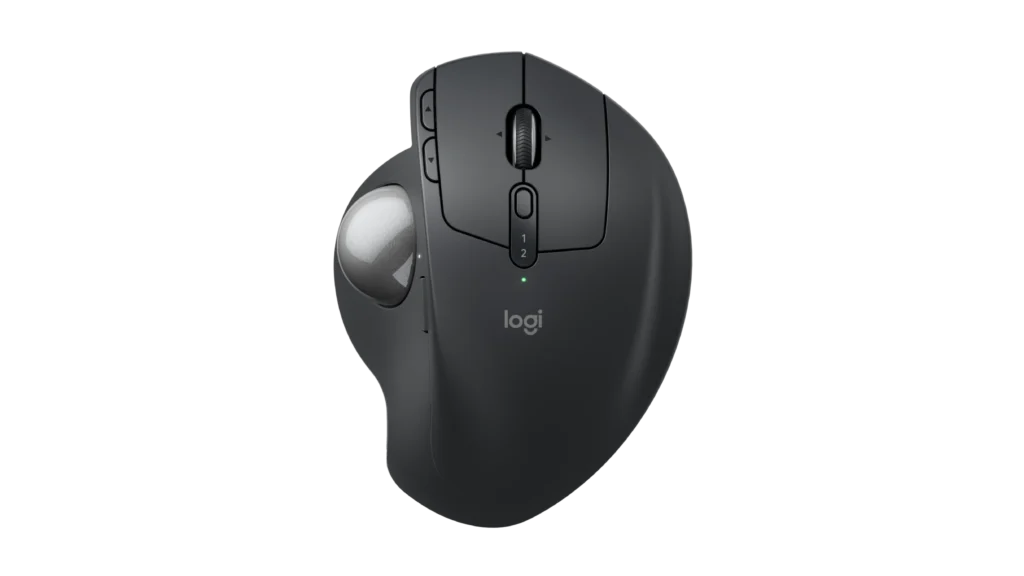
🛡️ BEST FOR SHOULDER PAIN
The best stationary trackball for shoulder relief. Now updated with USB-C and Silent Clicks.
Here is how they stack up for data work:
| Feature | Vertical Mouse (Lift) | Trackball (MX Ergo S) |
|---|---|---|
| Best For | Wrist & Forearm Pain | Shoulder & Neck Pain |
| Excel Precision | High (Easy to drag & drop) | Medium (Hard to select text) |
| Learning Curve | Easy (1 day) | Hard (1-2 weeks) |
| Charging | AA Battery (Lift) | USB-C Rechargeable |
| Click Sound | Silent (SmartWheel) | Ultra-Quiet |
| Desk Space | Needs a mousepad | Needs zero space |
| Frustration Level | Low | High (at first) |
Don’t overthink this. Listen to your body.
Scenario 1: “My wrist hurts, but I need to finish this report by 5 PM.”
👉 Get the [Logitech Lift].
It’s the safest bet. You’ll feel relief today, and you won’t lose speed on your VLOOKUPs.
Scenario 2: “My shoulder is killing me, or I work on a tiny desk at home.”
👉 Get the [Logitech MX Ergo S].
Embrace the learning curve. Your shoulder will thank you in a week. Plus, the USB-C charging means one less cable to carry.
Scenario 3: The Pro Move (What I Do)
I actually use both. I use a vertical mouse for precise Excel work in the morning and switch to a trackball for browsing and reading documentation in the afternoon. This ensures I never keep my hand in the exact same position for 8 hours.
One final tip: Whatever you buy, give it at least 7 days before you decide to return it. Your muscle memory needs time to adapt.
Disclaimer: I am not a doctor, just a data analyst who clicks too much. If you have severe pain, please see a medical professional.