Physical Address
304 North Cardinal St.
Dorchester Center, MA 02124
Physical Address
304 North Cardinal St.
Dorchester Center, MA 02124
If your wrist throbs after eight hours of Excel, a standard mouse is your enemy. You are looking at trackballs to fix the pain. In the Logitech lineup, you have two main contenders: the premium MX Ergo and the budget-friendly M575. Ideally, you want to stop the ache without wasting money on features you will never use.
I have tested both. The price gap is significant. Let’s break down the specs, the comfort level, and the build quality to see which one belongs on your desk.
The most critical difference lies in the hinge. The MX Ergo features a heavy metal plate. This allows you to tilt the trackball angle by 20 degrees. It sounds small, but it changes your hand position entirely.
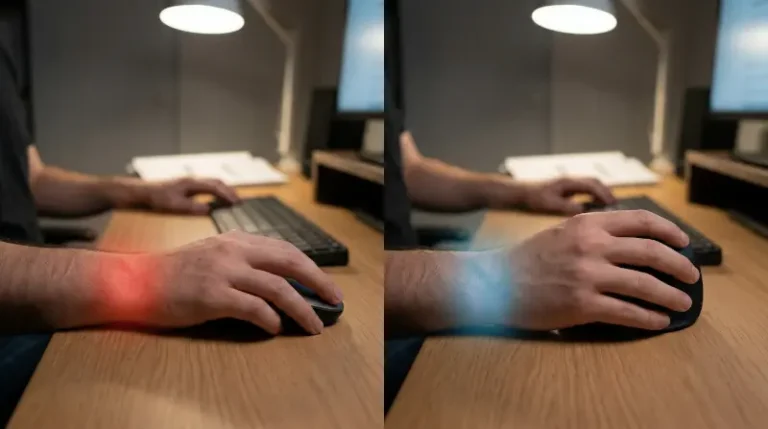
The tilt puts your hand in a “handshake” position. This reduces pronation (the twisting of the forearm). If you suffer from carpal tunnel or general forearm tightness, this neutral angle relieves pressure on the median nerve. For a deeper look at why this matters, read our comparison of vertical mice vs trackballs.
The M575 lacks this hinge. It sits flat on the desk. Your palm faces down, similar to a standard mouse. It is comfortable and stable, but it does not correct your wrist posture. If you have severe mobility issues in your shoulder, the flatness might help. However, for wrist pain, the M575 offers less relief than its expensive sibling.
Trackballs require thumb control. This takes practice. Both mice use high-quality optical sensors, but the implementations differ.
The MX Ergo includes a “Precision Mdoe” button near the trackball. Press it, and the cursor speed drops instantly. You get granular control. This is vital for graphic designers or data analysts trying to select specific cells in a dense spreadsheet. The thumb ball feels smooth and heavy, which aids accuracy.
The M575 is lighter. The ball moves freely, sometimes too freely. It lacks the dedicated precision button. You can adjust the sensitivity in the software, but you cannot toggle it on the fly. For general office work, it is adequate. For pixel-perfect work, the MX Ergo wins.
Your workflow determines the winner here. Do you use one computer or two?
To get the most out of the custom buttons on either device, you need to understand the software. Check our guide on mastering Logitech Options.
You might expect the expensive model to win every category. That is not the case with power.
The M575 runs on a single AA battery. Logitech claims it lasts up to 24 months. In my experience, this is accurate. You can put a battery in and forget about it for two years. This is excellent for reliability.
The MX Ergo uses a built-in rechargeable battery. It lasts about four months on a full charge. When it dies, you must plug it in. The older versions use a Micro-USB port, which is annoying if your other gear is USB-C. You trade longevity for the convenience of not buying AA batteries.
The M575 is made of hard, textured plastic. It feels rigid and durable, but it lacks a premium touch. It is lightweight, which means it might slide on your desk if you bump it.
The MX Ergo is a tank. It has a soft-touch rubber coating that provides excellent grip. The heavy metal base keeps it planted firmly. It feels like a tool for professionals. However, that rubber coating collects dust and skin oils faster than the hard plastic of the M575.
For more information on setting up ergonomic workspaces, the OSHA Computer Workstations eTool provides strict guidelines on neutral body positioning.
Here is the breakdown of the key specs for quick reference:
You should not buy the MX Ergo just because it costs more. Buy it only if you fit the specific user profile.
The M575 is a fantastic value. It does the job well for most office workers. But if your career depends on your hands, the adjustability of the MX Ergo is a necessary investment.