Physical Address
304 North Cardinal St.
Dorchester Center, MA 02124
Physical Address
304 North Cardinal St.
Dorchester Center, MA 02124
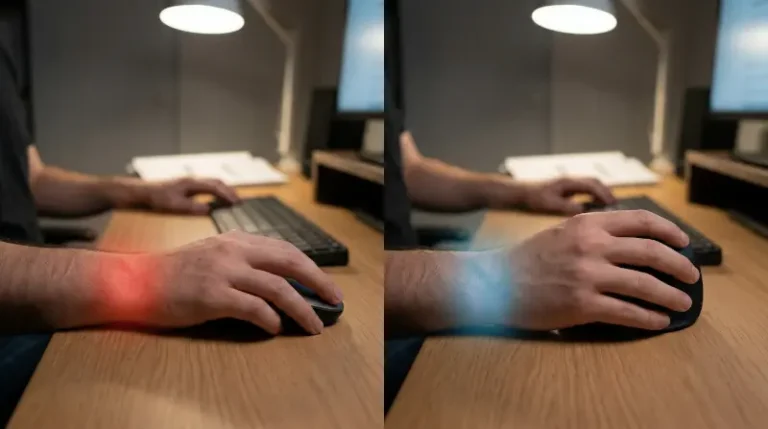
Your wrist hurts. You have been staring at spreadsheets or code for six hours. You know you need to change your setup.
You go to Amazon. You see two very different options. One is the Anker Vertical Mouse, which costs about as much as a sandwich. The other is the Logitech Lift, which costs nearly three times as much.
Is the premium price tag just marketing? Or does the budget option actually ruin your hand? I have used both extensively. I treat my hardware like tools, not jewelry. Here is the no-nonsense breakdown of the Logitech Lift versus the Anker Vertical Mouse.
The first thing you notice is the build quality. The Anker Vertical Mouse feels like a budget peripheral. It is lightweight and made of hard, slightly slippery plastic. In a dry office, your hand might slide off it. However, the vertical angle is aggressive. It forces your hand into a “handshake” position immediately.
The Logitech Lift feels different. It has a textured, rubberized back. Your thumb rests naturally on the grip without slipping. It feels dense and solid. Logitech claims a 57-degree angle. This is specific, but it works. It reduces pressure on your wrist without feeling like you are holding a joystick.
If you have small to medium hands, the Lift is superior. The Anker is “one size fits all,” which usually means “one size fits none perfectly.” If you want to understand why shape matters so much for pain, read our guide on Vertical Mouse vs Trackball: Which is Better for Wrist Pain?.
Marketing teams love to talk about DPI (Dots Per Inch) for gamers. But you are a Data Analyst or a developer. You care about efficiency, not headshots.
The Anker caps out at 1600 DPI. On a standard 1080p monitor, this is fine. You move your hand physical inches to move the cursor across the screen. But if you use dual monitors or a 4K screen, 1600 DPI is a chore. You have to physically move the mouse further to get from column A to column Z. This adds up to repetitive strain.
The Logitech Lift ranges from 400 to 4000 DPI. At 4000, a tiny flick of your wrist sends the cursor across two screens. This means less physical movement. Less movement means less pain. The sensor on the Lift also tracks on glass and glossy desks. The Anker struggles if you don’t have a mousepad.
The Anker is old school. It relies on a 2.4G USB receiver. You plug it in, it works. If you lose that tiny USB dongle, the mouse is trash. There is no Bluetooth backup on the standard model. It runs on AAA batteries. They last a long time, but you still need to replace them.
The Logitech Lift includes the Logi Bolt USB receiver. It is secure and reliable. But it also has Bluetooth Low Energy. You can connect it to your laptop, your iPad, and your desktop simultaneously. A button on the bottom lets you switch between three devices instantly.
This matters if you work in a hybrid environment. You do not want to crawl under your desk to move a USB dongle every morning.
This is where the price difference becomes obvious. The Anker is “dumb” hardware. It has two side buttons for “Forward” and “Back” in a web browser. You generally cannot reprogram them without third-party hacks. What you see is what you get.
The Logitech Lift supports the Logi Options+ software. This is a massive advantage for productivity. You can remap the side buttons to do anything. You can make them “Copy” and “Paste” in Excel. You can make them “Mute Mic” and “Video Off” in Zoom. You can even set different profiles for different apps.
If you write code or manage data, these shortcuts save hours over a year. If you want to see how deep this customization goes, check out our tutorial on Mastering Logitech Options: Customize Your Mouse for Peak Productivity.
The Anker is cheap. It is often one-third the price of the Lift. It is a fantastic entry point. If you aren’t sure if a vertical mouse will help your wrist, buy the Anker. It is a low-risk test drive. It gets the job done. It puts your arm in the correct ergonomic position, which helps prevent disorders like Repetitive Strain Injury (RSI).
However, the Logitech Lift is an investment in your daily workflow. The quiet “silent click” buttons are better for open offices. The SmartWheel scrolls fast through thousands of rows of data. The software saves you keystrokes.
Your hands are your livelihood. Don’t be afraid to spend money on them. Check out ErgoInsider for more reviews on keeping your setup pain-free.